Silos
Menu

Product

Product overviewThe panelNeeds youAgentsTasksAutomationsSilosEnginesOpen source

Solutions

Solutions overviewCoding agentsA small businessSupportFinance

Resources

Compared with terminal tabs

Company

About

Docs

All the docsInstall

Solutions

One panel, whether your agents write code or keep a business running.

Silos is made of conversations, agents, tasks, automations and silos. A developer with ten Claude Code sessions open and an owner whose agents keep the books use the same five, on their own machine.

Start by seeing what you already run

Every conversation on the machine is listed in the sidebar, across projects, including the ones you started by hand in a terminal. Silos reads those and never rewrites them, so there is nothing to migrate.

Open any of them as the Real console, the unmodified CLI in your browser, or as Chat. For a developer this is often where Silos stops, and that is enough.

acme-shop

  • Builder · Invoice exportjust now
  • Builder · Fix the flaky checkout test13m ago
  • Support · Northwind wholesale inquiry1m ago

acme-books

  • Finance · Close Augustwaiting on you
  • Finance · Overdue invoices2m ago
  • Started in a terminal · Speed up the buildread only
Conversations of several projects in one list.

Hand out work in a sentence when you are ready

An agent is a name, a mission in your words and a folder. A task is a piece of work with an owner, a status and its history, kept in a JSON file in the project's plans/ folder.

Give asks what and for whom, and the button says what will happen before you press it: «Give to Builder» starts an agent that works On its own, «Add to my list» puts it in Yours to do. The same gesture hands a refactor to a coding agent or the month's invoices to a finance agent.

New task

Export this month's invoices as CSV and PDF

  • WhoBuilder
  • Whereacme-shop
Give to BuilderStarts now, on its own
A task written in a sentence and given to an agent.

Bring in the records the work is about

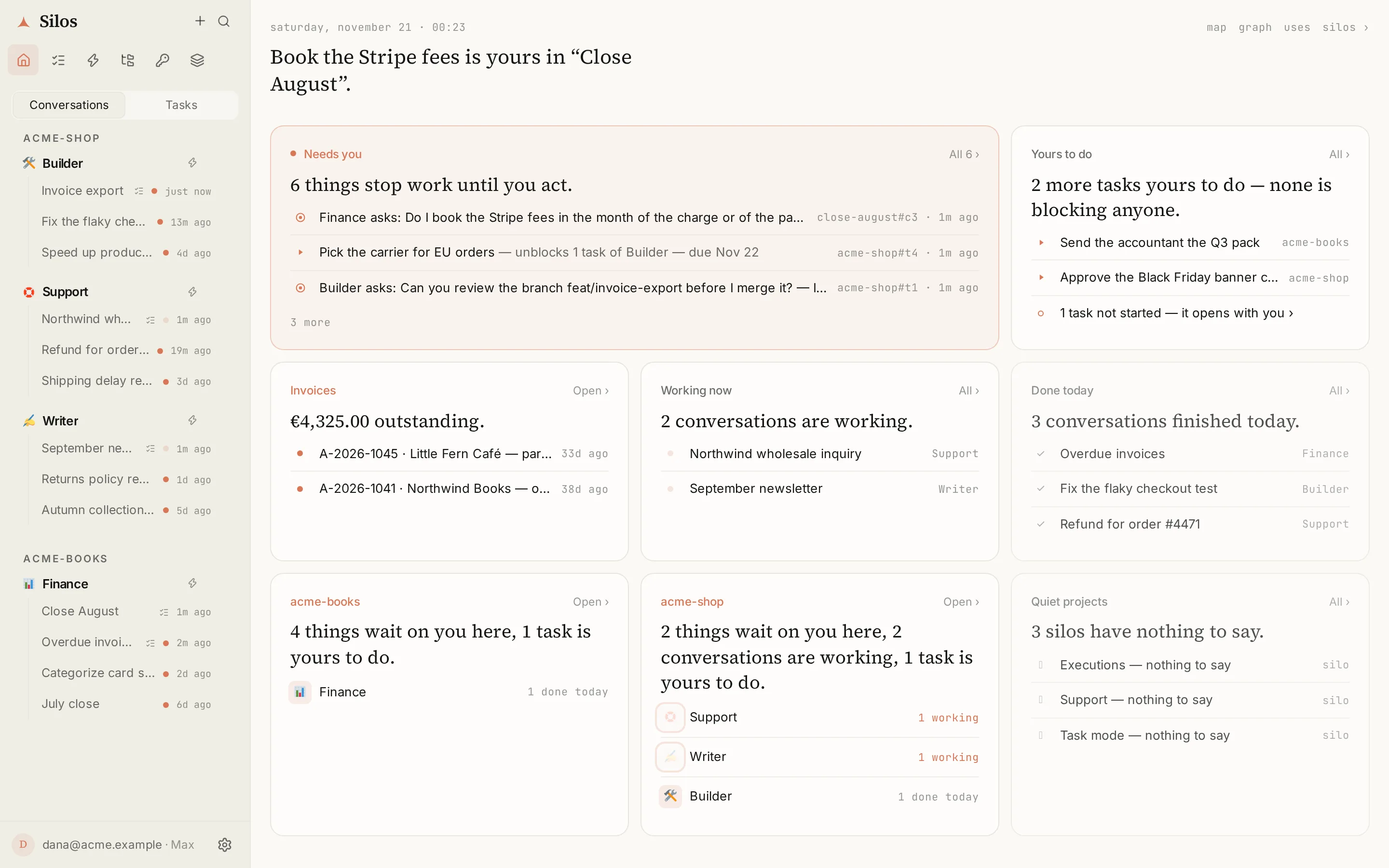
A silo is a kind of record your agents keep, such as invoices or support cases, plus a short file that tells Silos how to show it: what Home says, what reaches Needs you and which buttons it has.

Nothing shows until you approve what Silos worked out from that file: the paths it reads, the sentences it will show and who writes its records.

Home with an installed silo: a tile says how much is outstanding and lists two overdue invoices.
Home with an invoices silo installed. Demo data.

Questions

Do I have to use agents and tasks to get anything out of Silos?

No. Installed and left alone, it is a panel over the Claude Code and OpenCode sessions you already have: conversations, accounts, usage windows and what each session loads. Agents, tasks and automations are there when you want them.

Which engines does it run?

Claude Code by default, unmodified, and OpenCode as an optional second engine. Agents on both work side by side with the same Home, tasks, automations and vault.

Is this a hosted service?

No. Silos runs on your own machine and listens only on 127.0.0.1. Reaching it from your phone or laptop means putting a tunnel or reverse proxy you control in front of it.

Who sets it up?

Installing takes a technical person, once: Node.js 22.13 or newer, Claude Code, one command in a terminal, and a tunnel for remote access. Using it afterwards asks for no commands.

Can coding agents and business agents share one install?

Yes. Each agent has its own folder, mission and territory, and all of them appear on the same Home and in the same Needs you.

Pick where you start

Start as a panel over the sessions you already run, and give agents a job when it makes sense.