Silos
Menu

Product

Product overviewThe panelNeeds youAgentsTasksAutomationsSilosEnginesOpen source

Solutions

Solutions overviewCoding agentsA small businessSupportFinance

Resources

Compared with terminal tabs

Company

About

Docs

All the docsInstall

Code withyouClaude Codean engine

The real console in your browser, unmodified, on your own subscription. Or OpenCode, with any provider.Engines

Runs on your machine, on your own Claude subscription.

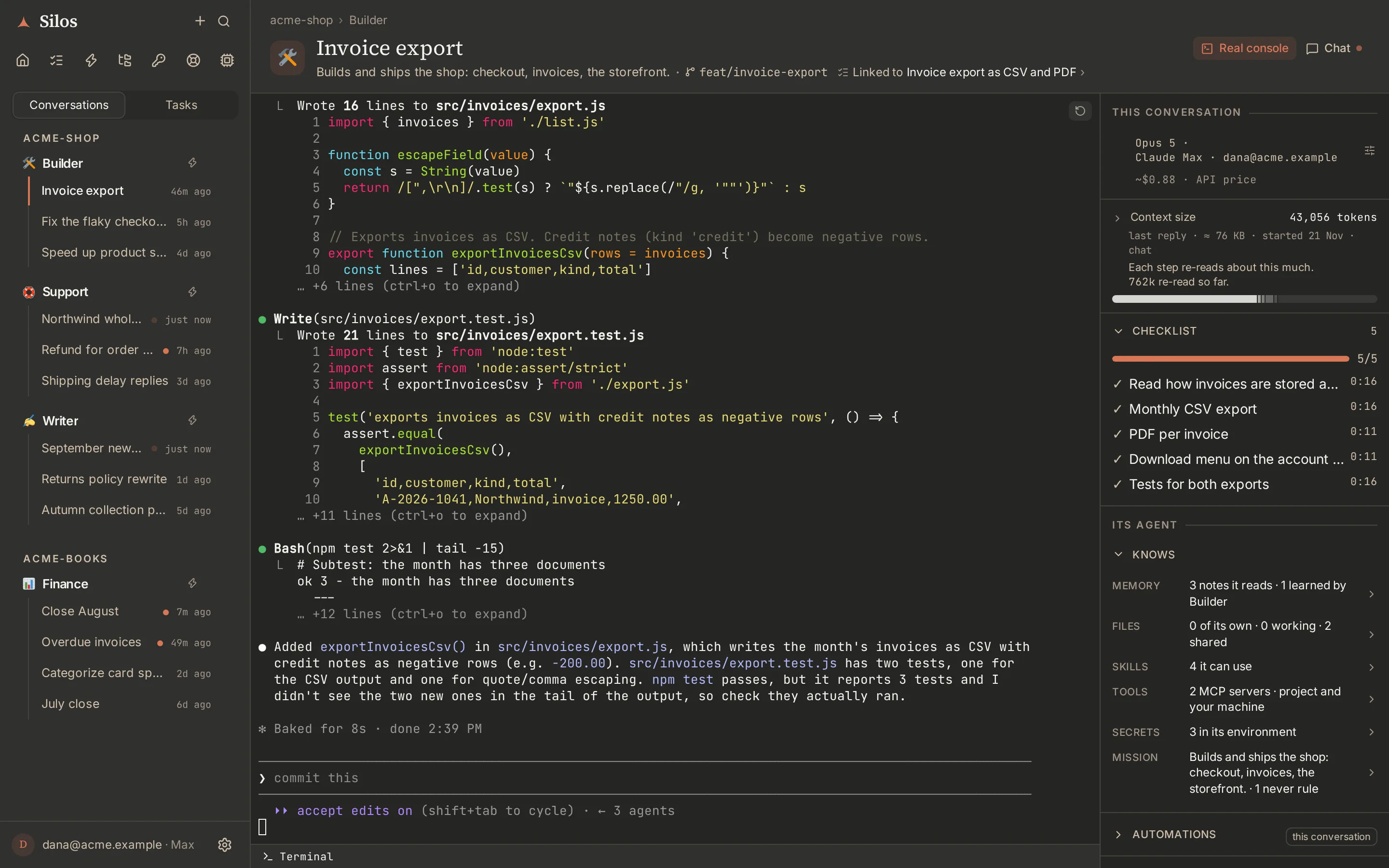
The real Claude Code, in a browser tab

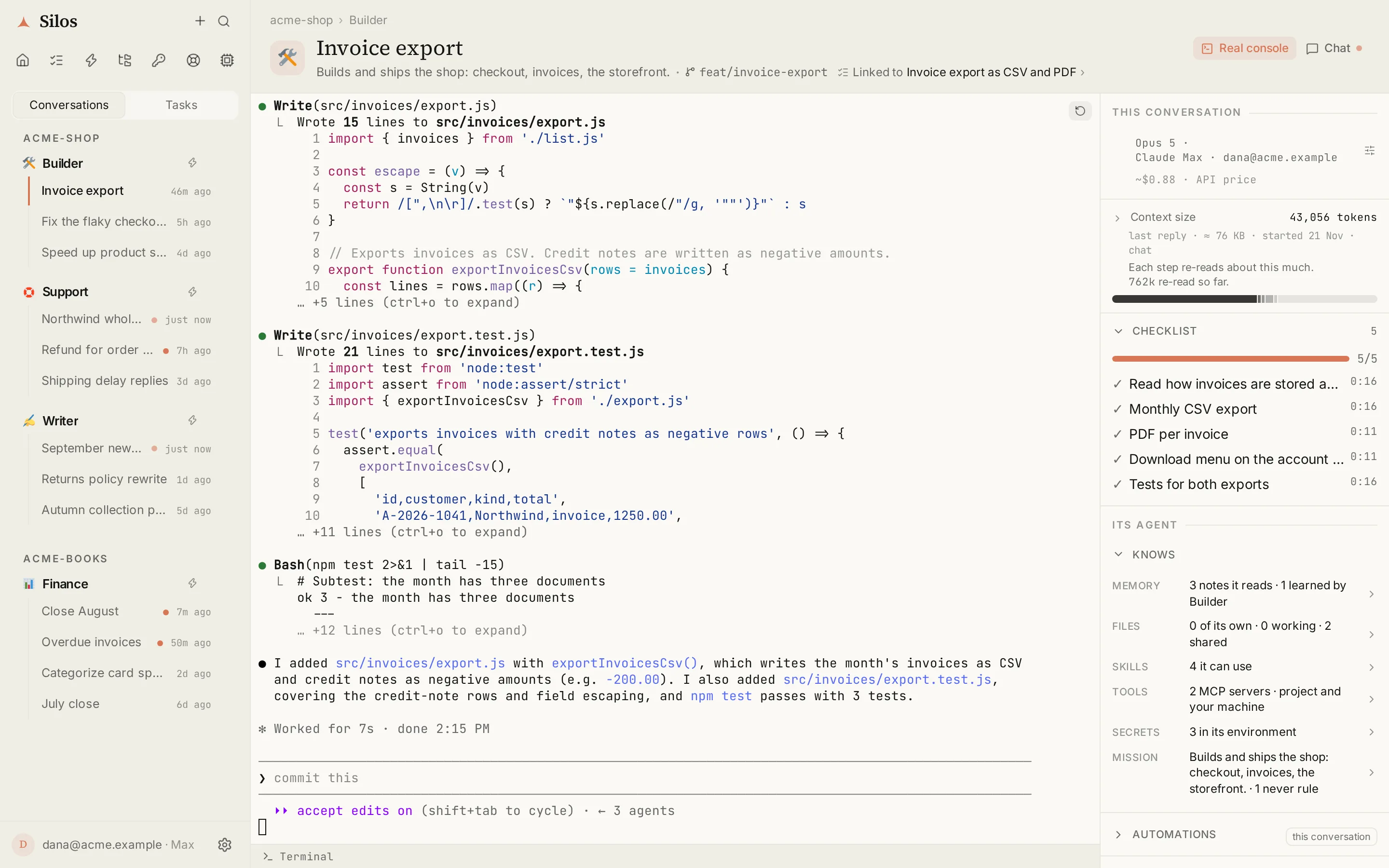
Silos is a web app on your own machine. It runs the Claude Code you already have, unmodified, and puts everything around it on the same screen: what it runs on, what it loaded, what it costs.

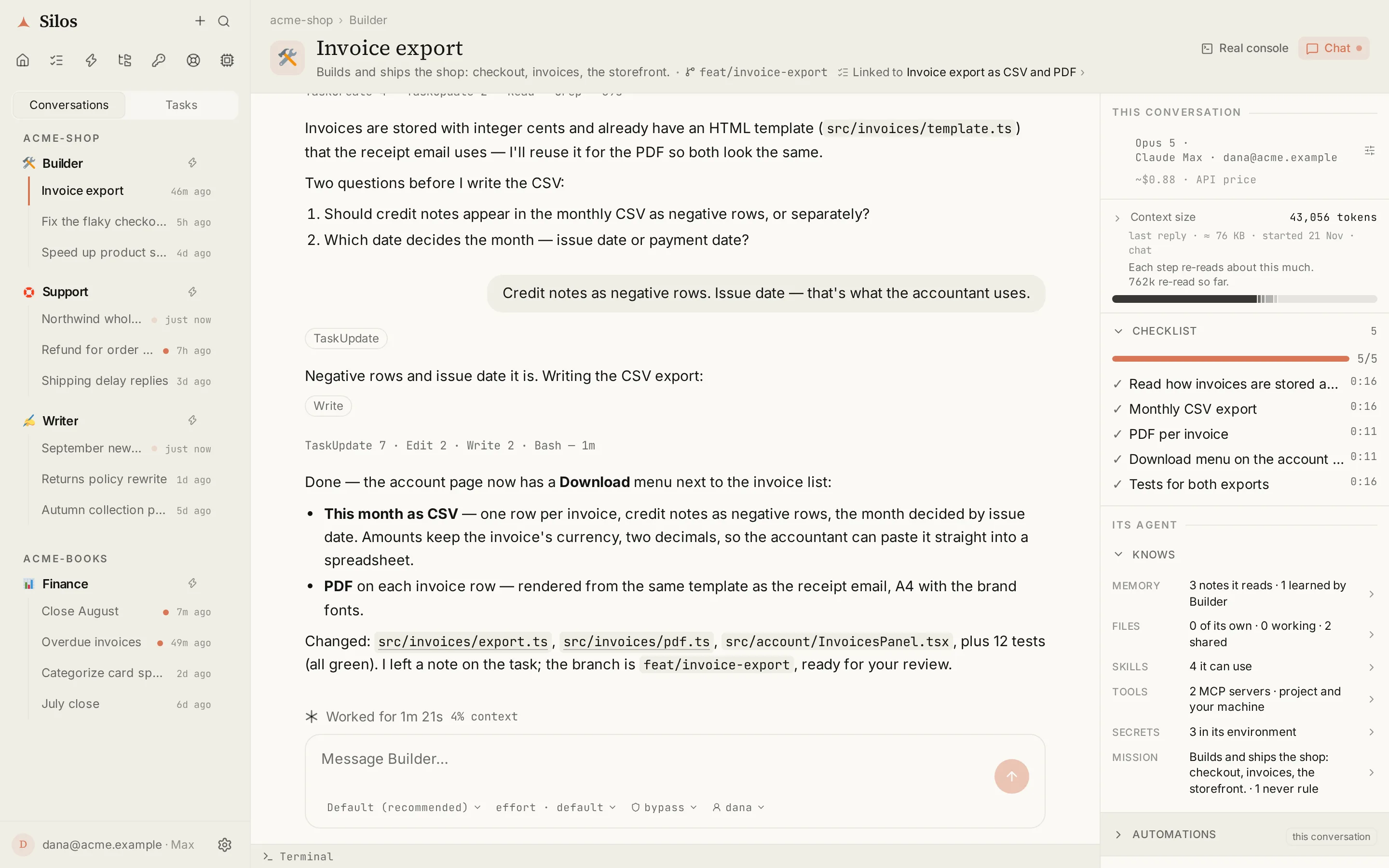
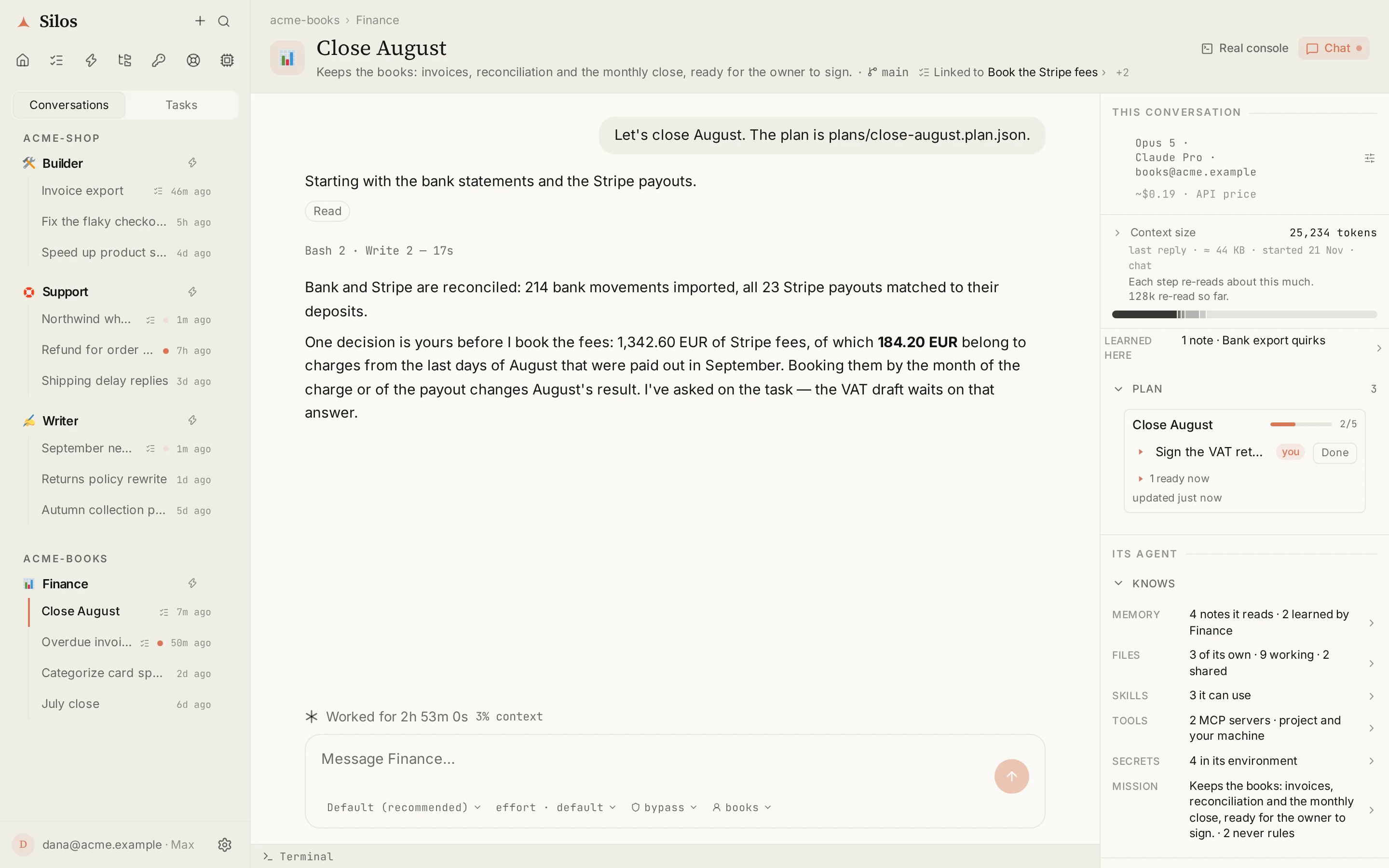
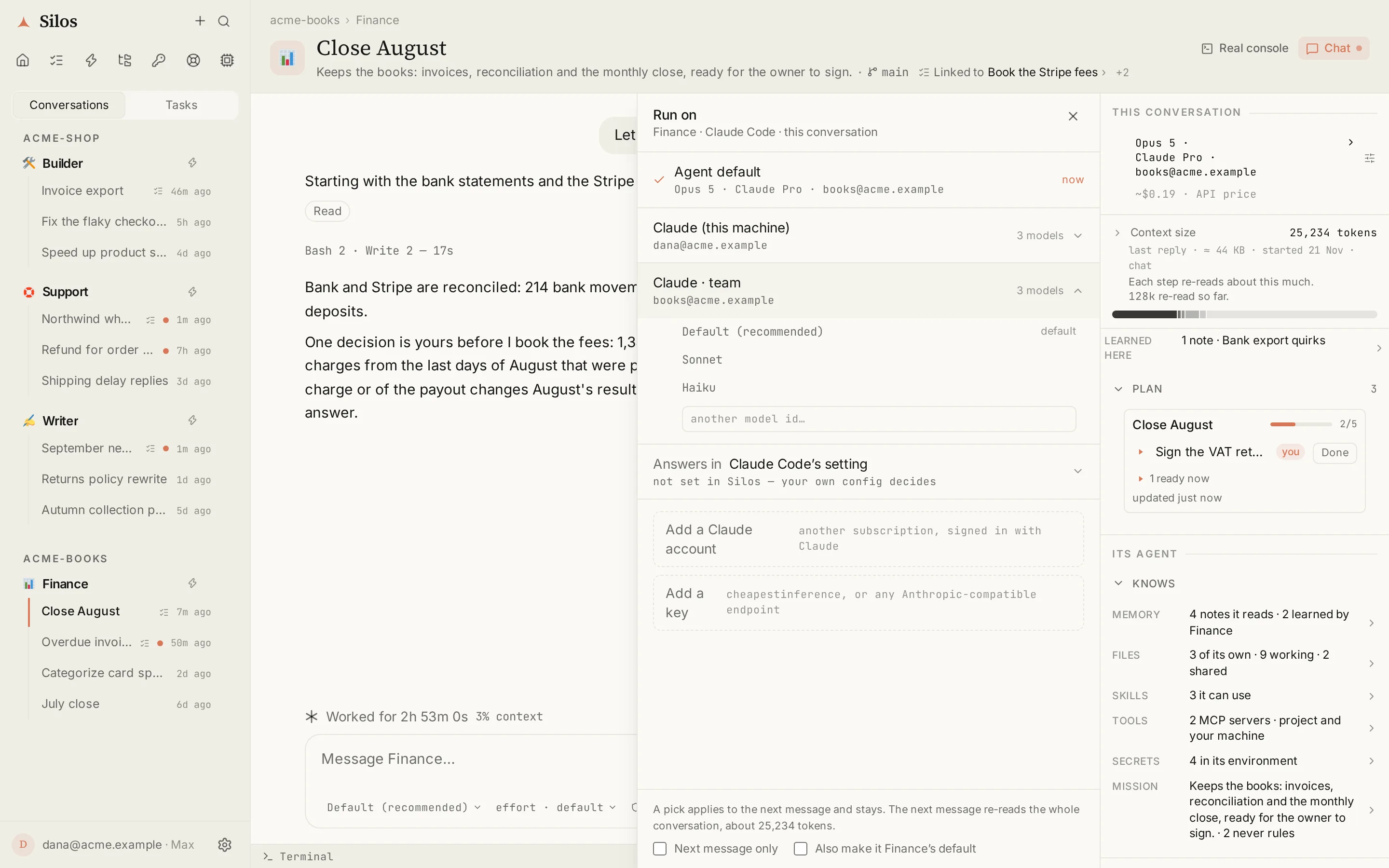
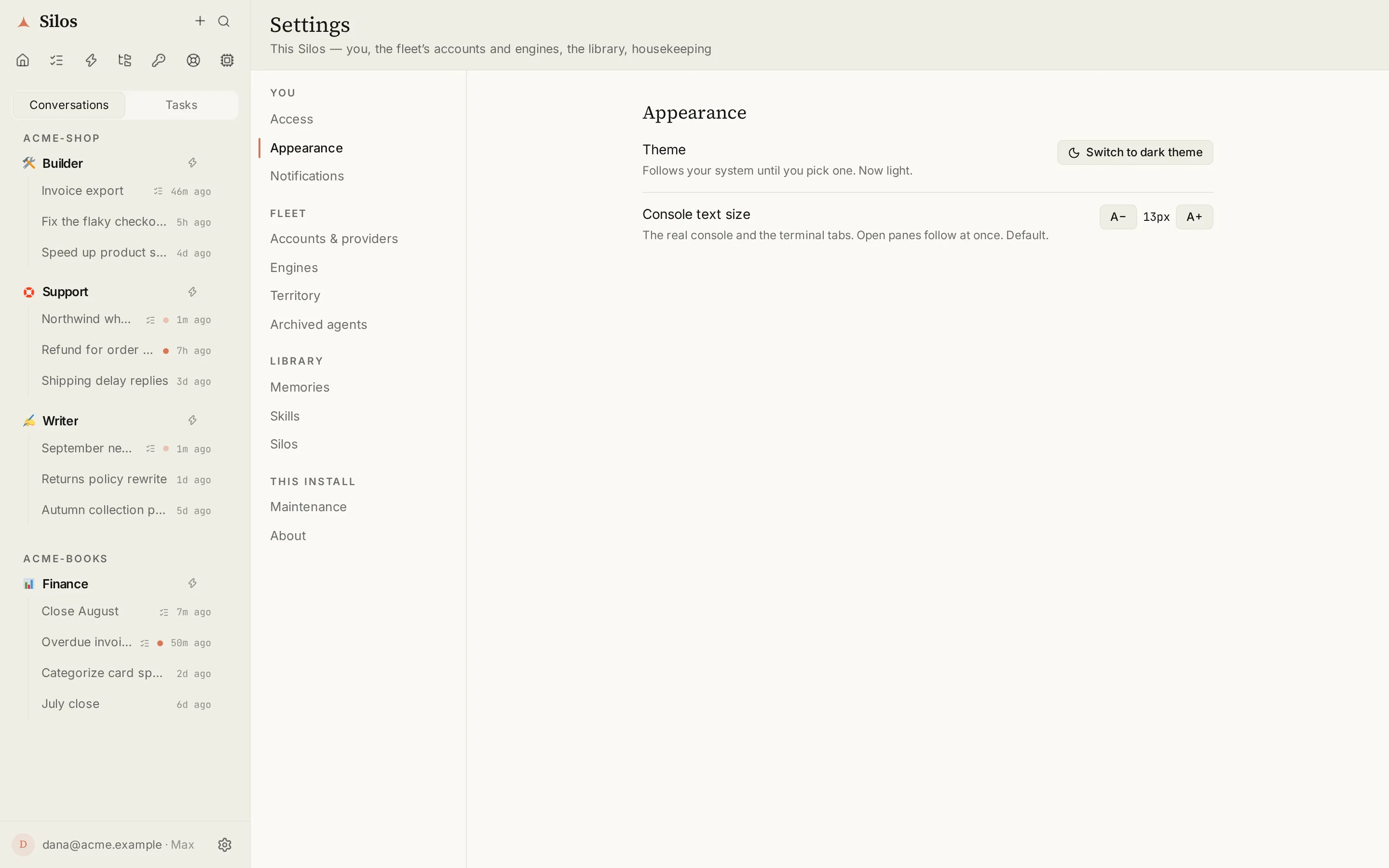
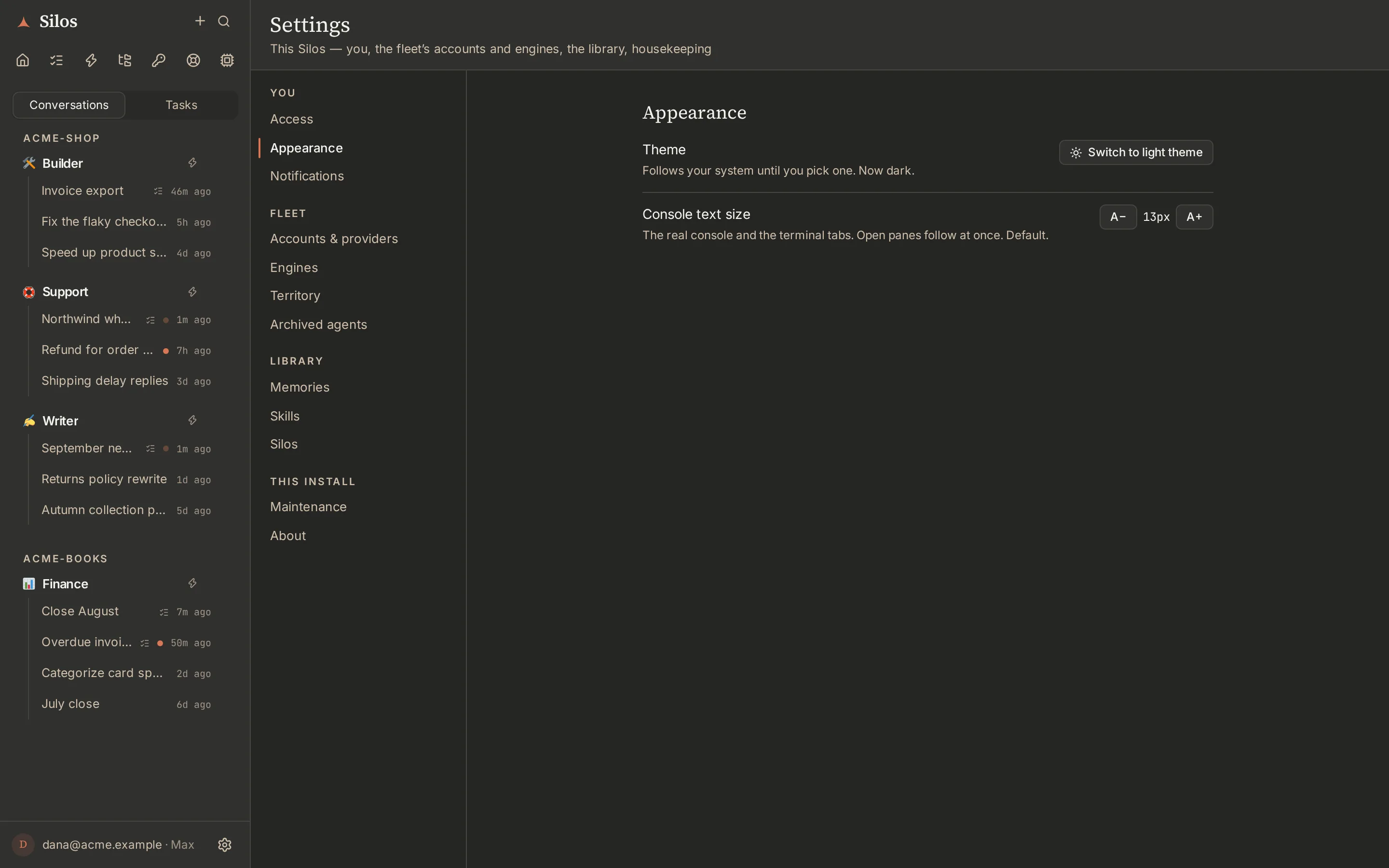
A conversation in Silos shown as the real console: Claude Code writes two files and runs the tests. On the left, the agents of two projects with their conversations; on the right, what it runs on, its checklist and what the agent knows.The same conversation shown as a chat: the agent asks two questions, the owner answers, and the agent reports what it changed.Another agent's conversation: Finance closing the month, with its plan and what it learned beside it.The Run on panel of that conversation: two Claude accounts, the one in use marked, and the models each offers.Settings, Appearance: the theme, with a button to switch to the dark theme.The same Settings page in the dark theme.The first conversation again as the real console, with Silos and Claude Code in their dark themes.
Real screenshots of Silos. Demo data.

Don't like the look? Pick another, or ask an agent for a silo that changes it.

Everything the panel shows · Engines and accounts

Work with your agents. Then let them work without you.

Give each agent a name and a job. While you build, every session, account and skill is in one place. When you step away, the ones with a job keep going, and only what is yours to decide reaches you.

Built by running a real business on it, every day.

Three agents working. One thing needs you.

  • BuilderInvoice export
  • SupportNorthwind wholesale inquiry
  • Financewaiting on you

Needs you

Finance asks: do I book the Stripe fees in the month of the charge or of the payout?

Try it: answer Finance. This is how Silos' home screen opens.

Agents with a job keep going

An agent isClaude Codea missionautonomy

That is what Silos adds to the engine: a name and a mission in your words, and how much it may do on its own. Hand it tasks in a sentence, or let it run on a schedule. Nothing starts by itself until you say so.

Agents · Automations

  • Support
    Morning inbox sweep
  • Finance
    Nightly bank sync · no tokens
  • Writer
    Weekly sales digest
  • Builder
    Dependency check

Only what is yours reaches you

Questions come with their answers written. Approvals, failed runs and anything stuck land in one inbox. The rest of the time, the home screen says so.

Needs you

All quiet.

Next: Mon 09:00, Finance's heartbeat

  • Since Tuesday9 done · 1 automation ran 7 times
  • Needs youNothing needs you.

A silo is anything you install

A silo isinstructionsrecordsviews

Task mode
Instructions only: how agents take work, track it and hand it over.
System
A view only: a page in the panel with what is still running on your machine.
Support
All three: what the agent does, the cases it keeps, and a page for them in the panel.
Your invoices
Records and a view: their own page, a line on Home, rows in your inbox.

Any mix, for anything, assigned to the agents that work it. It carries no code, and you approve what it reads. Silos

Records an agent keeps

invoices/A-2026-1041.json
invoices/A-2026-1044.json
invoices/A-2026-1045.json

A short file

silo.json
  what a record is called
  what reaches your inbox
  which buttons it has

On your screen

  • Home€4,325.00 outstanding
  • Needs youNorthwind Books — overdue
  • Its page9 invoices
The dark panels are drawings of the interface; the screenshots above are real.

It is yours

A hosted agent works in someone else's sandbox, inside their limits. Silos runs on your own server: all of its compute, everything on its network, for as long as a job takes.

Your machine
No sandbox and no compute cap. Agents reach your databases, your GPUs and whatever else that machine can.
Your processes
A dev server, a long build, a job that runs all night. Silos shows what is still running and which conversation started it.
Your views
Add pages for what your business keeps: a silo turns your own records into a page, a line on Home and rows in your inbox. Silos
Your engine
Claude Code or OpenCode, unmodified, on your own account. Tasks and records are files in your folders, with no database. Engines

Questions

What is Silos?

Silos is an open-source web console that runs coding agents — Claude Code and OpenCode — as a team of identities on your own machine or server. Each agent has a name, a role, its skills, a working folder, its permissions and its conversations. You see what every agent is doing, answer what is yours to decide in one inbox, and hand out work in a sentence.

Is Silos a web UI for Claude Code?

Yes. Silos shows every Claude Code conversation in the browser, either as the real console (the unmodified claude CLI running in a tmux session) or as a chat view driven through the Claude Agent SDK. Sessions you start by hand in a terminal show up too, and Silos only reads them. It never patches or forks Claude Code.

Can I run several Claude Code agents at the same time?

Yes. Each agent is its own identity with its own folder, permissions, secrets and conversations, and all of them sit in one sidebar. Several Claude accounts can be added and chosen per conversation, and the Needs you inbox collects the questions, approvals and failed runs of every agent in one place.

How do I self-host Claude Code agents with Silos?

There are three ways: run Silos locally on the machine where your agents work, deploy it on Railway from a one-click template, or run it on a VPS with Docker Compose. In every case it is one process with no database, your data stays in files on that machine or volume, and you sign in to Claude once from inside Silos.

Do agents keep working when I close the browser?

Yes. Silos is a server, so an agent that is set to work on its own wakes on its heartbeat, and automations run once, on a schedule, by webhook, on file changes or when a conversation finishes. Each agent has daily limits, and every run reports what happened in plain words.

What does Silos cost?

Silos is free and open source under the MIT license. Your agents' turns run on your own Claude subscription, API key or provider, so that is what they spend.

Which models and providers does Silos work with?

Agents run on Claude Code by default, signed in with your Claude subscription. OpenCode is an optional second engine, and an agent on OpenCode can use any provider OpenCode supports.

What is Silos an alternative to?

To running each agent in its own terminal tab or tmux window and keeping track of them by hand. Silos keeps the same terminal, as the real console in the browser, and adds what tabs do not have: one list of every conversation, one inbox for what waits on you, tasks, automations, accounts and usage.

Is Silos a sandbox for agents?

No. An agent's territory keeps the engine's file tools out of credentials, Silos' own state and other agents' files, but a script an agent runs in a shell runs as the user Silos runs as. In the Docker image the isolation boundary is the container itself.

Running in three steps

  1. Install it

    One command. It opens in your browser and shows the sessions you already have.

  2. Name an agent

    A name, what it takes care of and where its files are. No commands.

  3. Hand it work

    One sentence. It starts, and asks you when it needs you.

Ask for a setup

Tell us what you would have agents take care of. We set Silos up with you, and we answer by email.